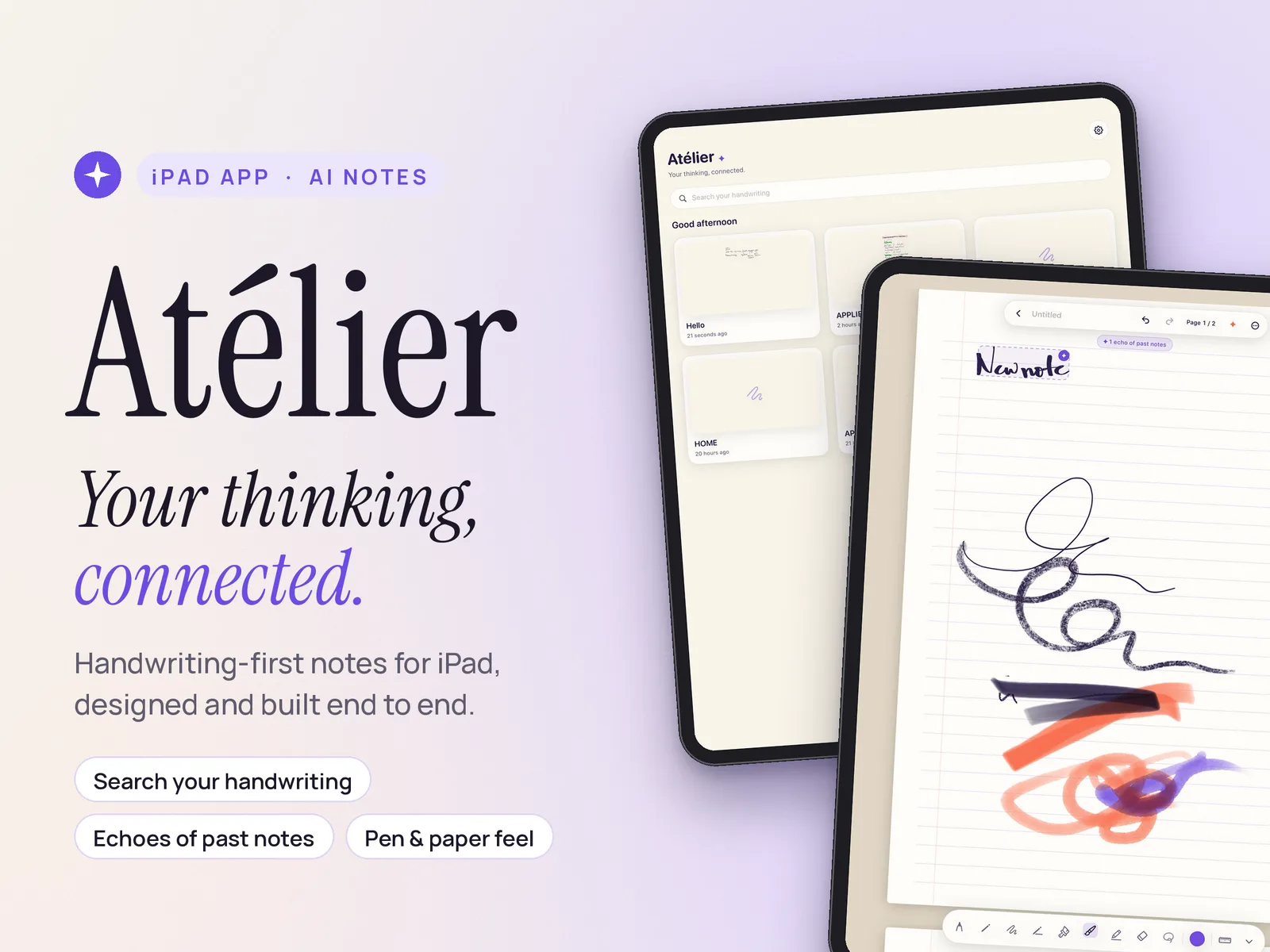
Handwriting-first notes you can search by meaning and summarise in one tap. I took it from a problem I lived as an MBA student to a feature-complete iPad app, solo.
Students write pages of notes on iPad and cannot find them again. Keyword search fails when you do not remember the exact words you wrote.
What I did
Ran discovery with classmates, bet on search by meaning, cut v1 to two AI features, and designed and built the app in Swift.
Status
Feature-complete and demoed to IIM Lucknow faculty in October 2026. No user results yet: a 20-query search eval and a 10 to 15 student beta come next, with targets set below.
Role
Solo: research, product, design, build (Swift)
Platform
iPad with Apple Pencil
Timeline
July to October 2026
Status
Feature-complete; faculty demo, Oct 2026
Skills
Product sense, AI product judgment, 0-to-1 execution
Context
Why this, why now
At IIM Lucknow most of my cohort takes notes by hand on an iPad. Classes move fast, quizzes come often, and the notes pile up across subjects and weeks.
Two things changed recently. Handwriting recognition on iPad became good enough to trust, and language models made it practical to search a person's own notes by meaning, not just by matching words. That opened a gap: handwritten notes are still treated as pictures you scroll, not knowledge you can ask.
Problem
Pages of notes, never found again
In conversations with classmates before quizzes and case discussions, the same three frustrations came up.
Search fails on memory. People remember the idea from class, not the exact words they wrote, so keyword search comes back empty.
Review is manual. Preparing for a quiz means scrolling notebook by notebook, page by page.
The workaround costs thinking. Switching to typed notes makes search easy but loses the sketches, arrows and structure that come with writing by hand.
Users
Who it is for, and who it is not
Scroll sideways for the full diagram →
The primary persona's moment before a quiz, today and with Atélier. The whole difference is one step: asking by meaning instead of guessing the exact word.
Segment
Job to be done
Call
MBA and grad students (primary)
"Find what the professor said about pricing in week 3, and give me the gist before the quiz."
Primary. Heavy iPad note-takers, high review pressure, easy for me to reach and test with
Working professionals
Recall decisions from meeting notes
Phase 2. Strong need, but notes are spread across many tools
Designers and visual thinkers
Sketch and annotate
Served by the core tools only. They value the canvas more than search
Competition
Where the existing apps stop
Product
What it does well
Where it stops
Apple Notes
Free, built in, searches handwriting
Search matches words, not meaning
GoodNotes
Best-in-class notebooks and handwriting search
Finding still depends on remembering the right word
Notability
Handwriting plus audio recording, searchable
Same keyword limit; review is still scrolling
Typed AI notes (e.g. Notion)
AI search and summaries
You have to type, which loses the handwritten thinking
What I found when I tried these apps in July 2026: handwriting search in all three matched the words on the page, not their meaning. Atélier tests whether search by meaning on handwritten notes is worth building.
Key insight
Key insight
People remember the idea, not the words.
A student searching for "price discrimination" may have written "charging different customers differently". So search had to work on meaning, not exact keywords. That one insight shaped the product: search by meaning, and summaries grounded only in the user's own notes.
Goals and metrics
What success means
North StarNotes found per weekly active userNorth Star. It moves only when the core promise works: you asked, and you found it.
Searches per active userDo students reach for search at all?
Search success rateShare of searches where the user opens a result
Summaries used per weekIs the one-tap gist part of review?
Guardrail: share of summaries users rate as accurate. Health: week-4 retention.
Hypotheses
The bets, written down before building
H1. Meaning beats keywords. Search by meaning finds the right note in the top 3 for most real student queries. Target: 16 of 20.
H2. Summaries earn a place in review. Students use a summary at least once in a week with a quiz.
H3. Writing feel is the price of entry. If the pen feels worse than their current app, students never stay long enough to try search.
Prioritisation
What made v1, and what did not
Feature
Value to students
Effort
Call
Pen and paper feel (pen, eraser, colour, lasso, ruler)
Table stakes
Medium
v1, first
Search by meaning
High: the core promise
High
v1
Grounded summaries
High: review before quizzes
Medium
v1
Echoes of past notes
Medium: connects today's note to older ones
Low: it reuses search by meaning on the page being written
v1
Chat assistant
Medium
High
Later
Auto-flashcards
Medium
Medium
Later
Sharing and collaboration
Low for the primary user
High
Not planned
v1 has two AI capabilities: search by meaning and grounded summaries. Echoes are not a third; they run the same search on the page you are writing. Two capabilities are also two things I can evaluate honestly.
Solution
What a student sees
Search your handwritingType what you remember, in your own words. Atélier finds the page, even if you wrote it differently.
Echoes of past notesWhile you write, a quiet hint points to related notes from earlier classes.
Pen and paper feelA pen, eraser, colours, lasso and ruler that feel right before any AI shows up.
Scroll sideways for the full diagram →
How a question becomes an answer. Search and summaries are designed to use only the user's own pages. Design is not proof: the eval checks whether summaries stay faithful, with no missing points and no added claims.
Decisions and trade-offs
Three calls, and what each one cost
01Writing experience first
What I chose Chosen
Built a solid pen, eraser, colour, lasso and ruler toolkit before any AI
What I gave up
Weeks of delay before the riskiest bet, search by meaning, could be tested
Why. If writing feels bad, nobody stays long enough to need search. In hindsight, I would have tested search on classmates' existing notes first (see What I learned).
02Grounded summaries
What I chose Chosen
Summaries draw only from the user's notes
What I gave up
"Smarter" summaries that add outside knowledge
Why. Students need the summary to reflect their class, not the internet. The eval checks whether it does.
03Scope
What I chose Chosen
Search and summaries only. No chat assistant, no auto-flashcards in v1
What I gave up
Feature-list appeal
Why. Fewer AI features, each one tested properly.
Status vs targets
Built; the next test decides if it works
Measure
Target
Status
Feature-complete app, solo
Ship v1
Done, October 2026
Faculty demo
Show to IIM Lucknow faculty
Done, October 2026
Right note in top 3 results
16 of 20 real queries
Not yet measured
Summaries rated accurate
8 in 10 or better
Not yet measured
Week-4 retention
4 in 10 beta users
Not yet measured
Targets are not results. This table will show the eval score, including the misses, when it is run.
What I learned
Test the riskiest bet first
I built the writing core before testing search by meaning, the bet the whole product rests on. A cheaper order: run search on classmates' existing notes first, then build the notebook only if search works.
Writing the targets down before the eval keeps the result honest, whatever it turns out to be.